
Read our training syllabus outlines for InDesign.
Looking for the current InDesign version?
Learning resources for this version are still available by request. Contact us to get past version materials.
Adobe InDesign CS2 common keyboard shortcuts• A PDF of InDesign CS2 [Mac & Win] frequently-used keyboard shortcuts
|
 |
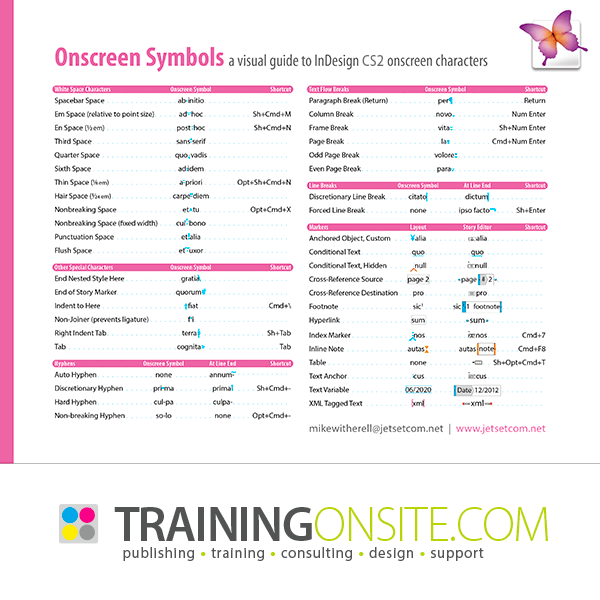
Adobe InDesign CS2 onscreen characters• Onscreen Characters: a visual guide for InDesign CS2 for Mac and Windows
|
 |
Adobe InDesign CS2 tour of 21 presets, styles, and automations for Mac• A PDF tour of all presets in InDesign CS4 and CS3 and CS2 with Mac screenshots
|
 |
Adobe InDesign CS2 tour of 21 presets, styles, and automations for Windows• A PDF tour of all presets in InDesign CS4 and CS3 and CS2 with Windows screenshots
|
|
Mike's Vector Pen Tool Technique• A PDF summary of the Pen tool in InDesign, Illustrator, and Photoshop
|
 |
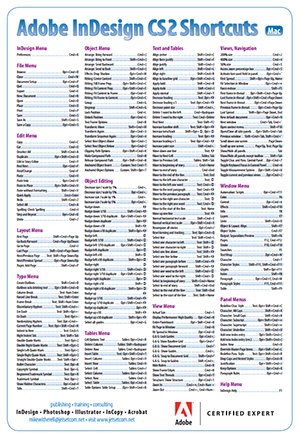
Adobe InDesign CS2 keyboard shortcuts poster for Mac• A 13 x 19 poster PDF of InDesign CS2 [Mac] shortcuts
|
 |
Adobe InDesign CS2 keyboard shortcuts poster for Windows• A 13 x 19 poster PDF of InDesign CS2 [Win] shortcuts
|
|
QuarkXPress terms translated to InDesign• A PDF of QuarkXPress terms translated to InDesign terminology |
 |
Lorem Ipsum English-language Placeholder textfile• A placeholder textfile to replace Lorum Ipsum text |
 |
Numbers textfile• A textfile of numbers counting 1 to over 1,000 for making numbered tickets
|
 |
Learning resources purchased here will be delivered as PDF and/or ZIP files. Immediately after the transaction is completed, you will receive an email with links to download ordered documents. If you encounter any issues please check your email settings or contact us.