



Do you find the Pen tool in Illustrator, InDesign, and Photoshop hard to get to know? If you are a graphic artist, this is a skill you must know well, and we can help.
Yes, the Pen tool can seem strange at first. You click, you drag, handles appear, curves go in unexpected directions, and suddenly the simple shape you had in mind looks nothing like it. It is tempting to decide that the Pen tool is simply too difficult. But be assured: the Pen tool is one of those tools that becomes easier with practice. More importantly, learning how it works gives you a better understanding of how vector digital artwork is constructed.
In Adobe Illustrator and Adobe InDesign and also Adobe Photoshop, the Pen tool lets you create and edit paths using anchor points and Bezier curves. Once you become comfortable with those points and the direction handles that control curves, you can draw much more than simple rectangles and circles. You can create custom shapes, edit existing artwork, build logos, trace objects, modify frames, and make precise adjustments that would be difficult or impossible with basic shape tools.
You need to get to know these basic tools: the Pen tool, the Add Anchor Point tool, the Delete Anchor Point tool, the Anchor Point tool (for converting from sharp corners to round corners), and the Direct Selection tool, for selecting and moving anchor points.

You don't need to become an expert overnight. In fact, you don't even need to start by drawing complicated illustrations. Start by learning what happens when you click and/or drag your mouse with the Pen tool active. Learn how to add and delete anchor points. Learn how to convert a corner point into a smooth point and vice-versa. Learn how to adjust a curve without destroying the shape you've already created. Most importantly, practice.
By the way, you can draw a lot of vector shapes without the Pen tool. Here is a set of 10 shape drawing tools that are easy to use, including the Line tool, the Rectangle tool, the Rounded Rectangle tool, the Ellipse tool, the Polygon tool, the Star tool, the Arc tool, the Spiral tool, the Rectangular Grid tool, and the Polar Grid tool.

And there are more tools to get to know related to working with vector paths and shapes.
A few minutes of self-guided Pen tool practice can teach you more than repeatedly fighting with the tool while working on a deadline. Once the basic movements become familiar, the Pen tool starts to feel less like a mysterious drawing instrument and more like a precise way of controlling shapes. And there is another benefit: the skills transfer between applications. If you learn to understand Bezier paths in Illustrator, that knowledge is useful in InDesign and Photoshop, too. The behavior of the Pen tool in all three programs differs only slightly, but the underlying quadratic math concepts are the same.
So don't avoid the Pen tool because it seems difficult. Give yourself permission to be bad at it for a while. Practice making points, curves, corners, and smooth transitions. Learn all the keyboard shortcuts about what changes when you hold the Shift key, the Opt/Alt key, the Cmd/Ctrl key, and the Spacebar key. Eventually, your hand and your eye will begin to understand what the tool is drawing. The process is a lot like learning to ride a bicycle. At first you cannot do it; and the next thing you know, you have got the hang of it.
To help you get started, we have Pen Tool Practice files that let you concentrate on learning each tool itself rather than trying to create finished artwork. These files explain each and every feature and shortcut technique, providing you with an abundance of examples along with explanations. If you can trace over the example layer, you are doing it right!
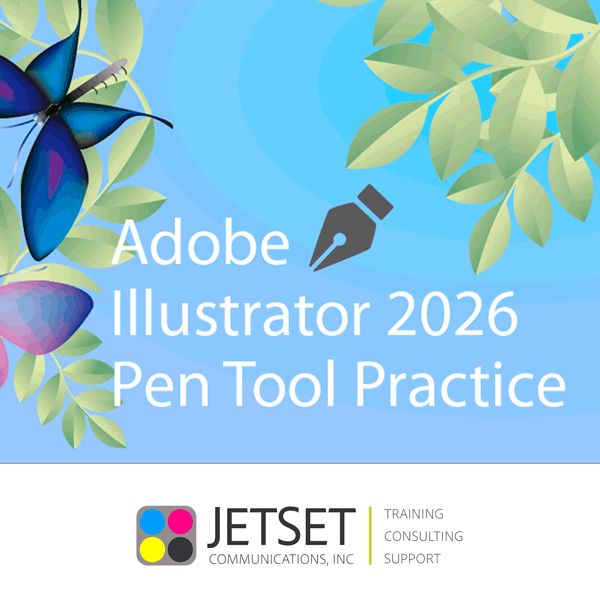
If you work primarily in Illustrator, download our Illustrator Pen Tool Practice downloadable file. It opens in Illustrator.
If InDesign is your application of choice, try our InDesign Pen Tool Practice downloadable file. It opens in InDesign.

The basics that you learn in either of these will carry over into the occasional Photoshop vector drawing project. Open our self-paced learning file and start practicing, and give yourself time to learn one of the most useful, fundamental tools in digital graphic arts.
Want to learn professional-grade publishing software including Adobe Illustrator? Do you need to know it in-depth? Call us. We have been using and teaching page layout and graphic design software since the beginning.